
Digital Library User Guide
The following steps must be followed in order to access books from the digital library
Step 1: Visit Salim Habib University Website
🌐 Open your internet browser and visit:
www.shu.edu.pk
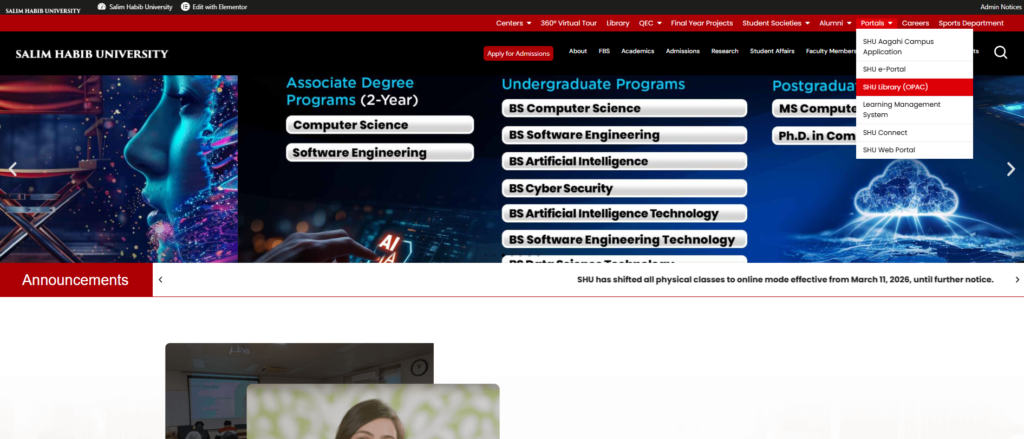
- Move your cursor to SHU Library (OPAC) in the main menu
- A dropdown menu will appear
- Click on SHU Library OPAC as shown on the screen
This will redirect you to the Library OPAC Page.
Step 2: Login to Library OPAC
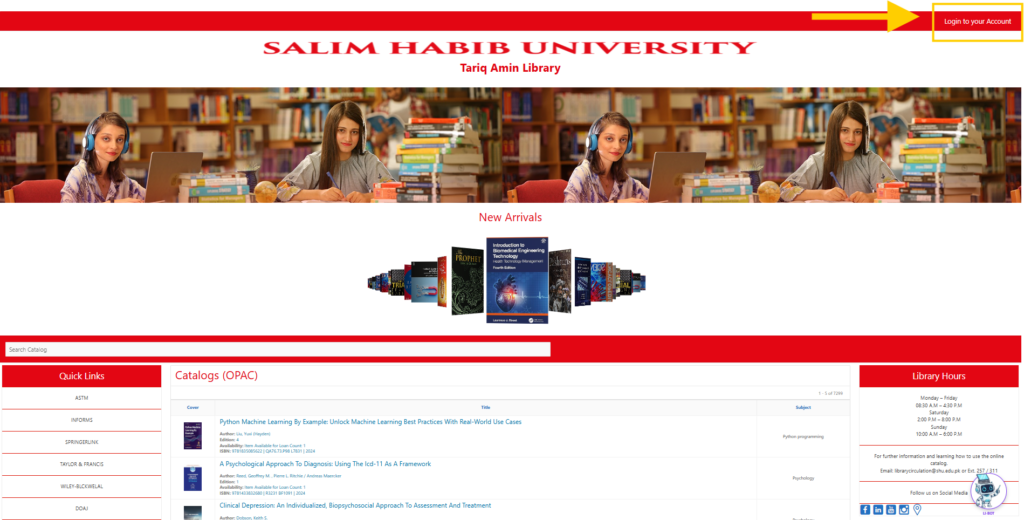
🔐 Once the Library OPAC Page opens:
- Click on Login to Your Account
- This will redirect you to the Digital Library Resource Center Login Page in a new window
Step 3: Enter Login Credentials
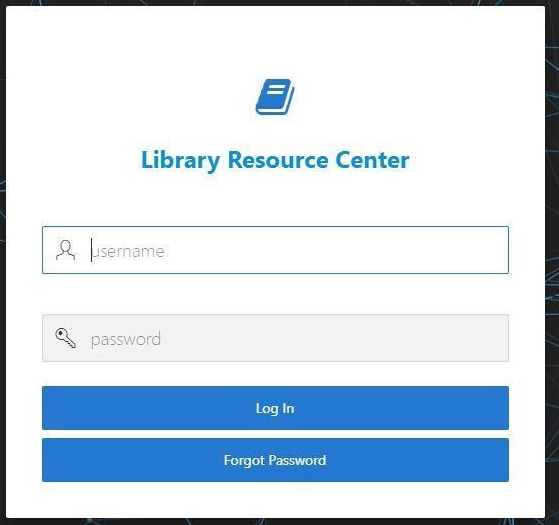
👤 On the Digital Library Login Page, enter the following details:
- User ID: Your SHU ID (Student / Faculty ID)
- Password: changeme
⚠️ Important Note:
- After your first login, you are strongly encouraged to change your password for security purposes
- Students and faculty members can set a new personalized password after login
Step 4: Access E-Books
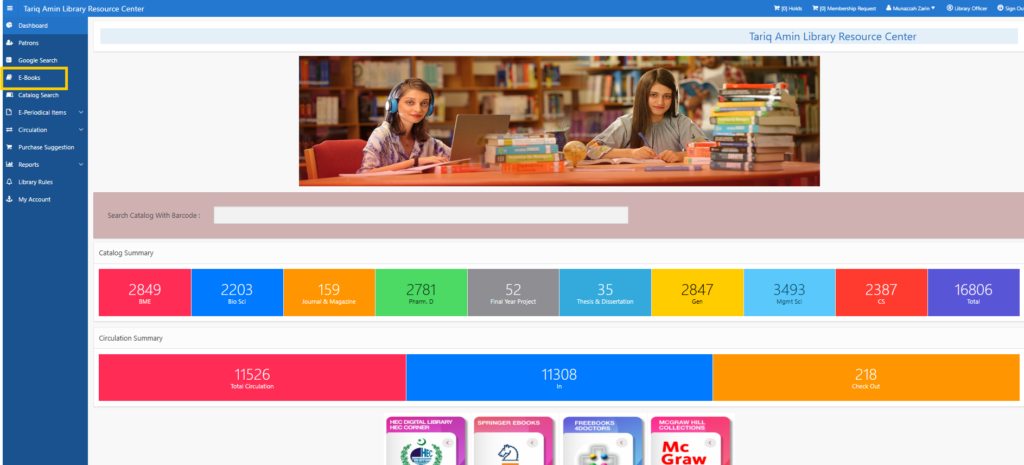
📚 Click on E-Books from the left panel menu.
Students and Faculty can:
- Browse available E-Books
- Search books by title, author, or subject
- Apply filters to narrow search results
- Access digital content instantly
Available Search Filters
You can refine your search using:
- Subject
- Author
- Title
- Publication Year
- Keywords
This helps users locate resources quickly and efficiently.
📱 Device Accessibility
Students and faculty members can access E-Books using:
- 💻 Laptops
- 📱 Mobile Phones
- 📱 Tablets
📍 Note:
Digital Library resources are accessible within the campus network only.
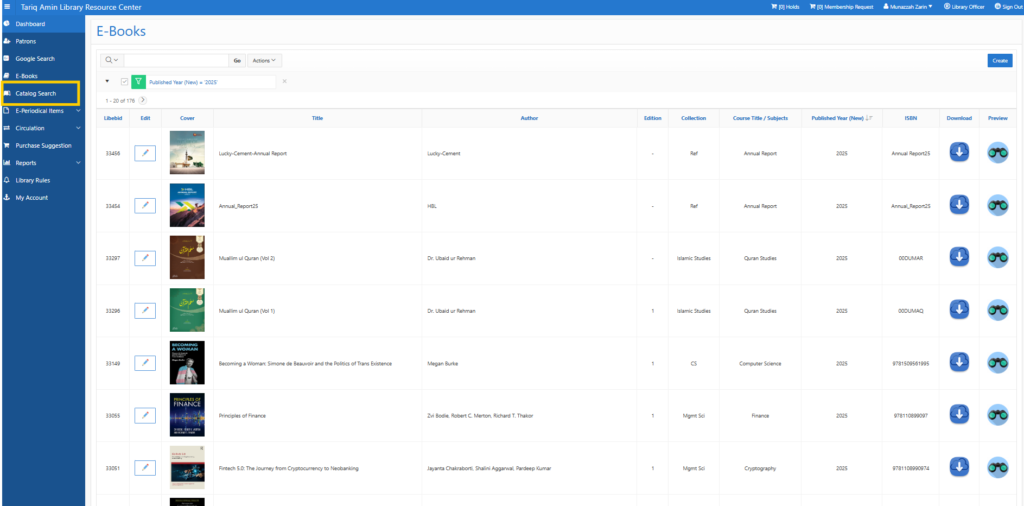
Step 6: Catalog Search
🔎 Click on Catalog Search from the menu bar.
This feature allows you to:
- Search all available physical books
- View book details
- Check availability status
- Find shelf location
- View number of copies available
Catalog Information Includes:
- Book Title
- Author Name
- Call Number
- Shelf Location
- Availability Status
- Number of Copies
This helps users locate books quickly within the library.
Benefits of Digital Library
✨ Easy Access to Academic Resources
✨ Time Saving Search Options
✨ Multiple Format Access (Digital + Physical)
✨ User Friendly Interface
✨ Efficient Research Support
✨ Available for Students & Faculty
